
![How to Install Any Claude Skill From GitHub [Step-by-step] - Beginner Tutorial](/_astro/How%20to%20Install%20Any%20Claude%20Skill%20From%20GitHub%20_Step-by-step_%20-%20Beginner%20Tutorial.Cgks_FcS_1swru6.webp)
.Bktem256_23EEnI.webp)
.rrgOIsSz_Z2n0to0.webp)

Do you want to show only selected variant images on your Shopify store? In this tutorial, we’ll show you how to do just that using the Taste Theme. This is a great way to highlight your most popular items or featured products. Let’s get started!
Show Only Selected Variant Images – Taste Theme
Add Code in main-product.liquid – First Step:
Add thumbnail-color=”{{ media.alt }}” as shown in the screenshot below in main-product.liquid:
line no. 67
line no. 116
line no. 155

Add Alt Text on All Product Media Gallery – Second Step:
Now the second step is to Alt Text as per the color variation of your product.
Dashboard -> Products -> Edit Product
On the Edit Product screen you will see the Media section just like the screenshot below:
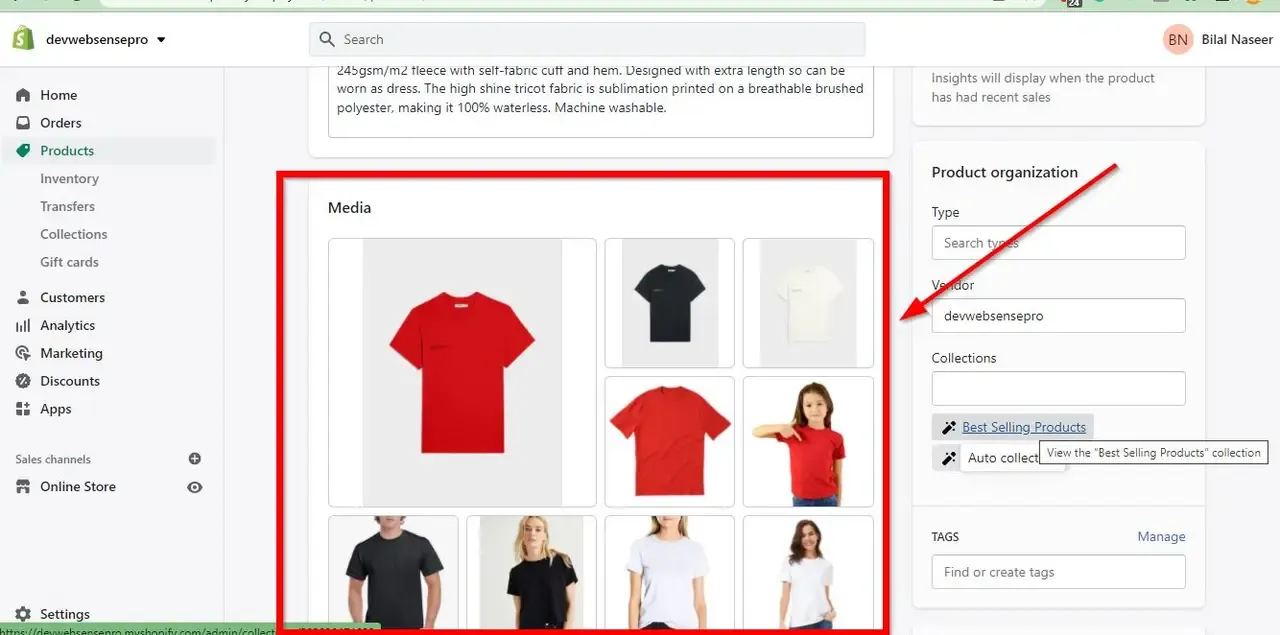
Click on all the media images and add Alt Text as per the screenshot below:
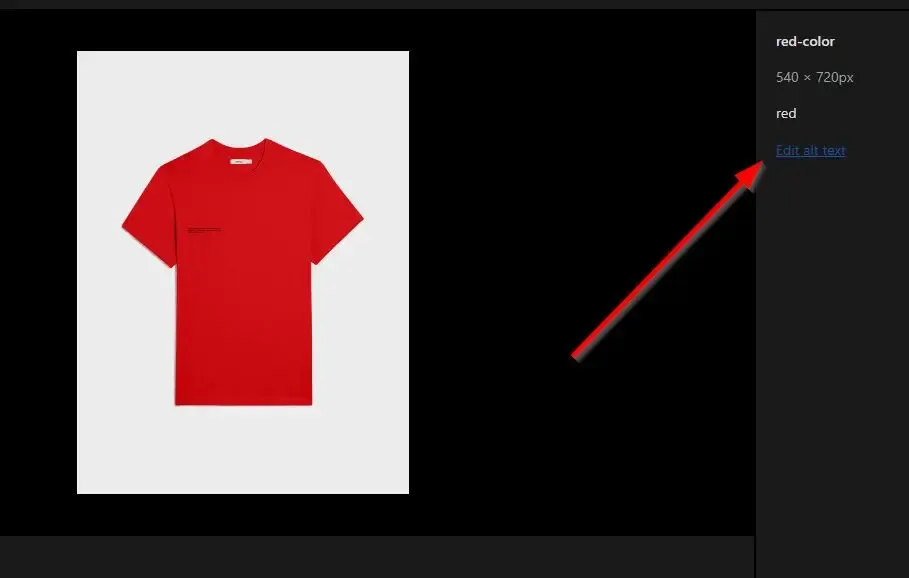
Add JS Code – Third Step:
Now edit “global.js” file and add this.filterMedia(); on line number 764. After adding this code add following JS function in “global.js” file on line number 772:
Make sure to include jQuery on your Shopify theme. Once done you should be able to see only selected variant images.
filterMedia() {

         $('[thumbnail-color]').hide();

    var selected_variant = this.currentVariant.featured_media.alt;

    var selected_attribute = '[thumbnail-color="' + selected_variant + '"]';

    if (selected_variant == selected_variant) {

      $(selected_attribute).show();

    } }