![How to Install Any Claude Skill From GitHub [Step-by-step] - Beginner Tutorial](/_astro/How%20to%20Install%20Any%20Claude%20Skill%20From%20GitHub%20_Step-by-step_%20-%20Beginner%20Tutorial.Cgks_FcS_1swru6.webp)
.Bktem256_23EEnI.webp)
.rrgOIsSz_Z2n0to0.webp)

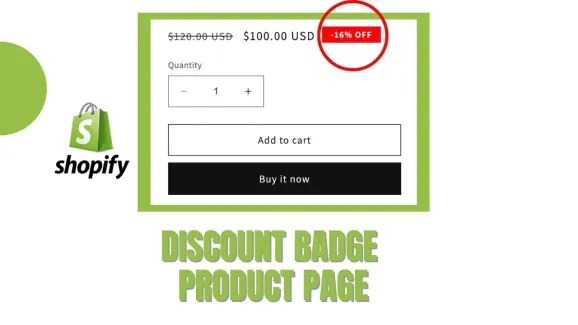
Are you looking to enhance the visual appeal of your Shopify store and drive more sales? One effective way to achieve this is by adding eye-catching discount badges to your product and collection pages. These badges not only grab the attention of potential customers but also convey the value of the discounts you’re offering. In this comprehensive tutorial, we will guide you through the process of adding discount badges to your Shopify store, ensuring that your products stand out from the competition and entice customers to make a purchase.
In this video, we will provide step-by-step instructions on how to customize the price.liquid and card-product.liquid files, as well as add CSS code to show the discounted price.
By adding a product discount display, customers can see the price reduction upfront, making it easier for them to decide on purchasing the product. This customization is quick and easy, and can be done with just a few simple changes to the theme files.
We hope this tutorial will be helpful to those looking to add product discounts on their website. If you have any questions, please don’t hesitate to ask in the comments below.
Update code in Price.liquid File:
Replace **{{ 'products.product.on_sale' | t }}** with the following code:
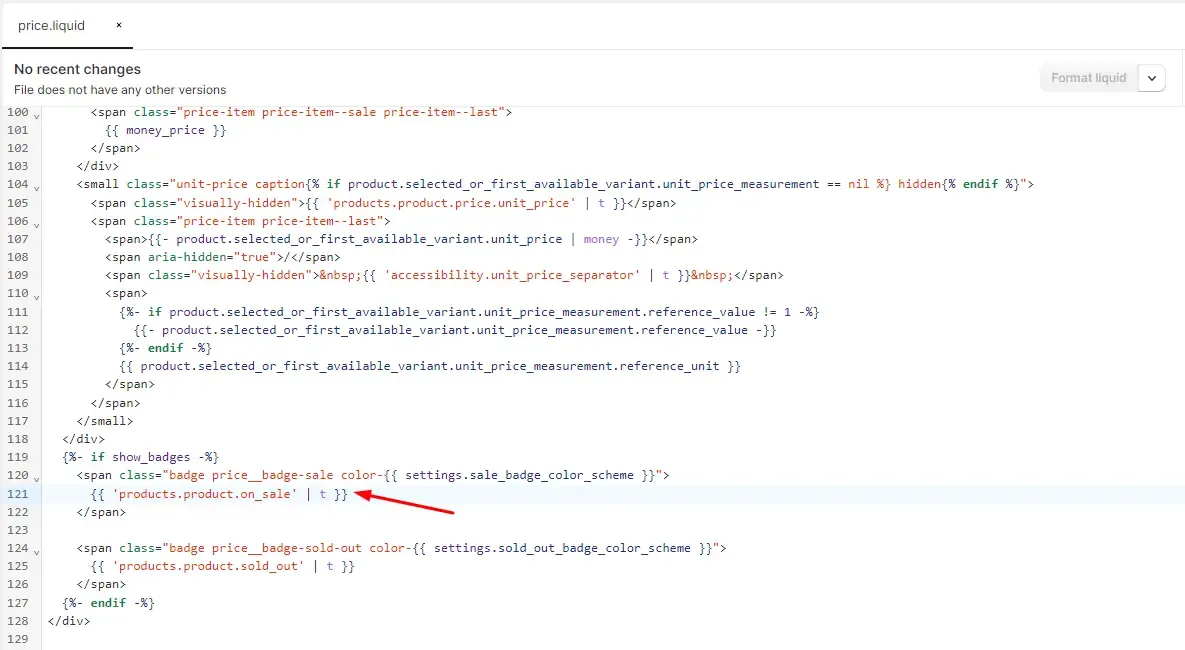
-{{ compare_at_price | minus: price | times: 100 | divided_by: compare_at_price }}% OFFUpdate code in Card-product.liquid File:
Replace **{{- 'products.product.on_sale' | t -}}** with the following code:
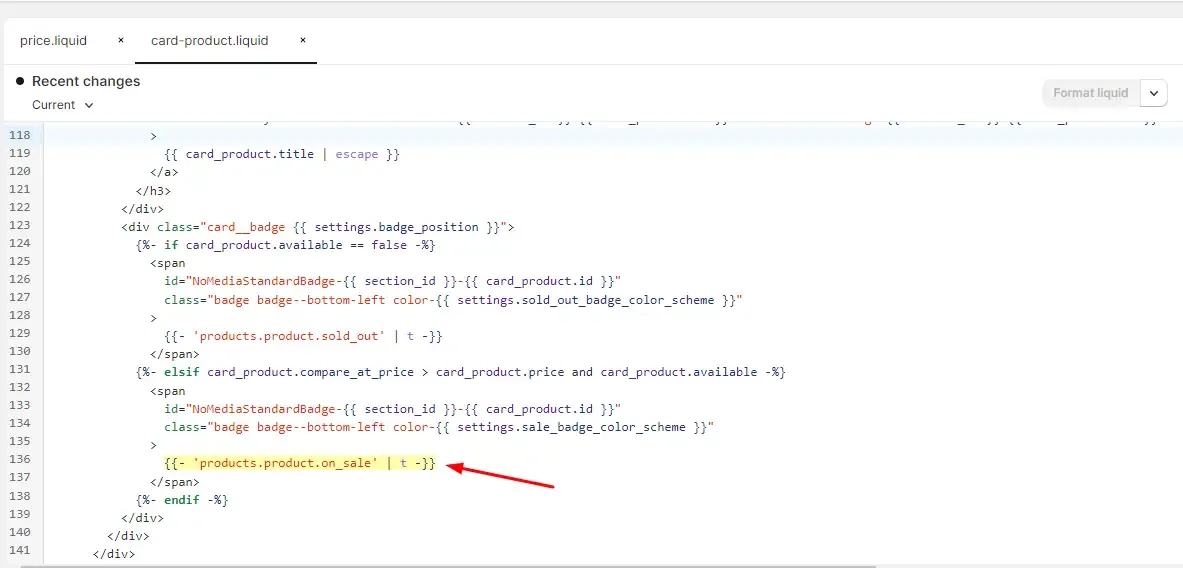
-{{ card_product.compare_at_price | minus: card_product.price | times: 100 | divided_by: card_product.compare_at_price }}% OFFAdd Code in Base.css File
.card__badge .badge{
    border-radius: 0;
    font-size: 13px;
    background-color: red;
    font-weight: bold;
    border: none;
  }

  .price .price__badge-sale {
    border-radius: 0;
    font-size: 13px;
    background-color: red;
    font-weight: bold;
    border: none;
    margin-top: 0 !important;
    margin-bottom: 0 !important;
  }