




Intro
Why adding an SVG Logo? Because it’s really good quality and it doesn’t get blur as compare to the PNG’S in JPEG’S and Shopify doesn’t have a direct way to do it.
Step 1:Upload SVG Logo in Assets Folder
First, go to your Theme Settings click on Actions, and hit on Edit Code. Now upload SVG logo in the assets folder, add a new asset by clicking on Add a new asset as per the screenshot below:
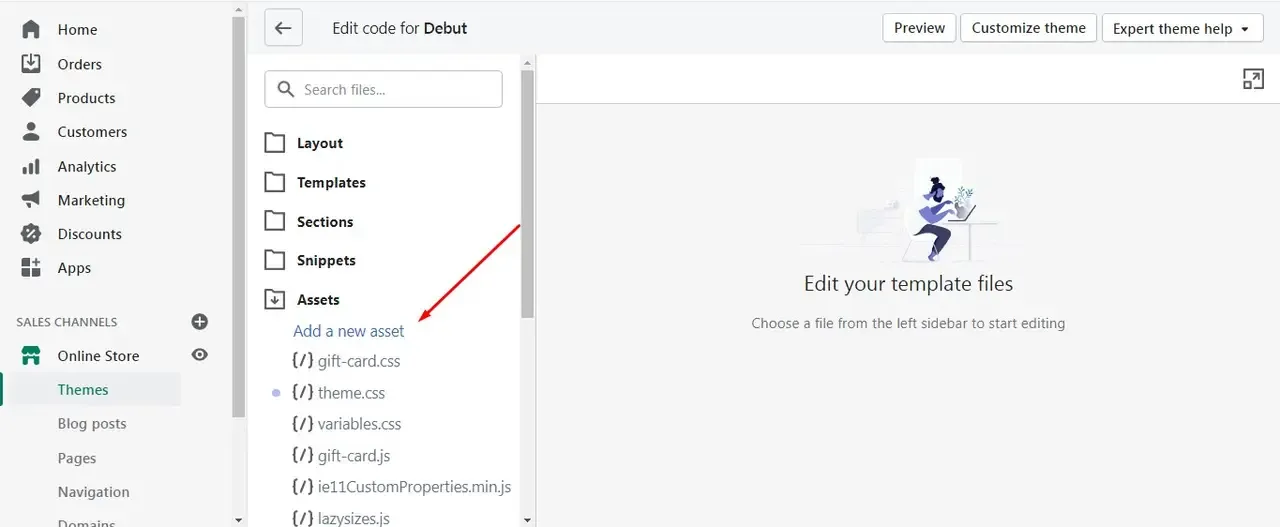
Upload asset(assuming you already have your SVG Logo) then rename it to “logo.svg” now find the header.liquid file.
Step 2:Adding Code in header.liquid File
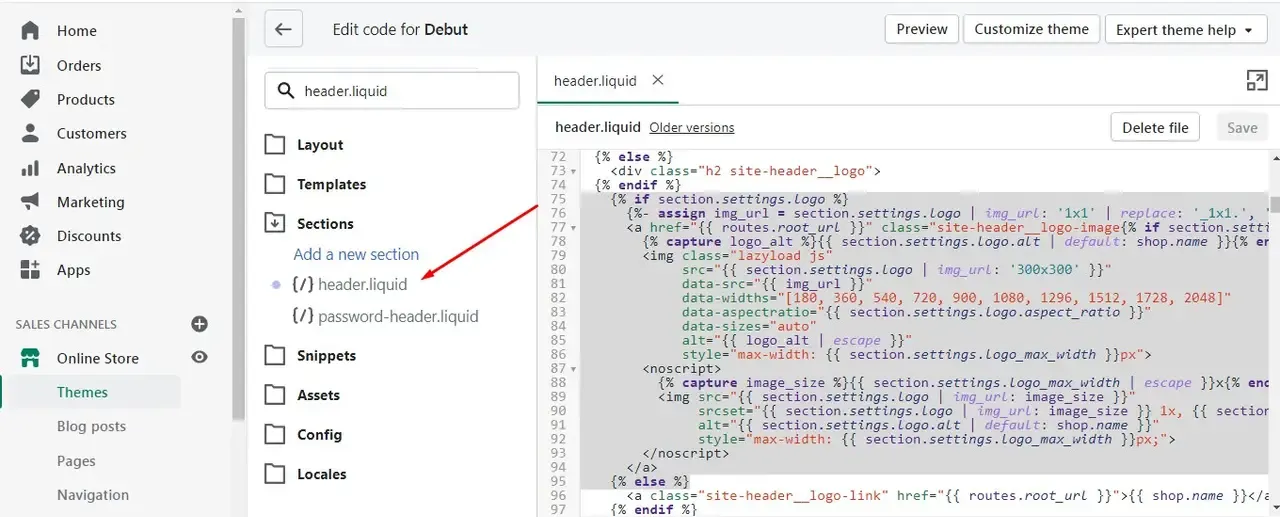
Search for section.settings.logo in header.liquid file from line number 75 to line number 97 replace with this code with the one you see below:
Code in header.liquid File – Debut Theme
<a href="{{ routes.root_url }}" class="site-header__logo-image{% if section.settings.align_logo == 'center' %} site-header__logo-image--centered{% endif %}">
  {% capture image_size %}{{ section.settings.logo_max_width | escape }}{% endcapture %}
  <img src="{{ 'logo.svg' | asset_url }}"
       alt="{{ shop.name }}"
       style="max-width: {{ image_size }}px;">
</a>
If you are using any other theme like any other free Shopify theme so you need to search for the Search for section.settings.logo in the header.liquid file
Code in header.liquid File – Dawn Theme
From line number 348 to line number 362 replace with this code with the one you see below:
<a href="{{ routes.root_url }}" class="site-header__logo-image{% if section.settings.align_logo == 'center' %} site-header__logo-image--centered{% endif %}">
{% capture image_size %}{{ section.settings.logo_max_width | escape }}{% endcapture %}
<img src="{{ 'logo.svg' | asset_url }}"
alt="{{ shop.name }}"
style="width:150px;">
</a>